04 / 04
Chat is the easy part
The product is everything between “add a tag” and the CRM actually changing.
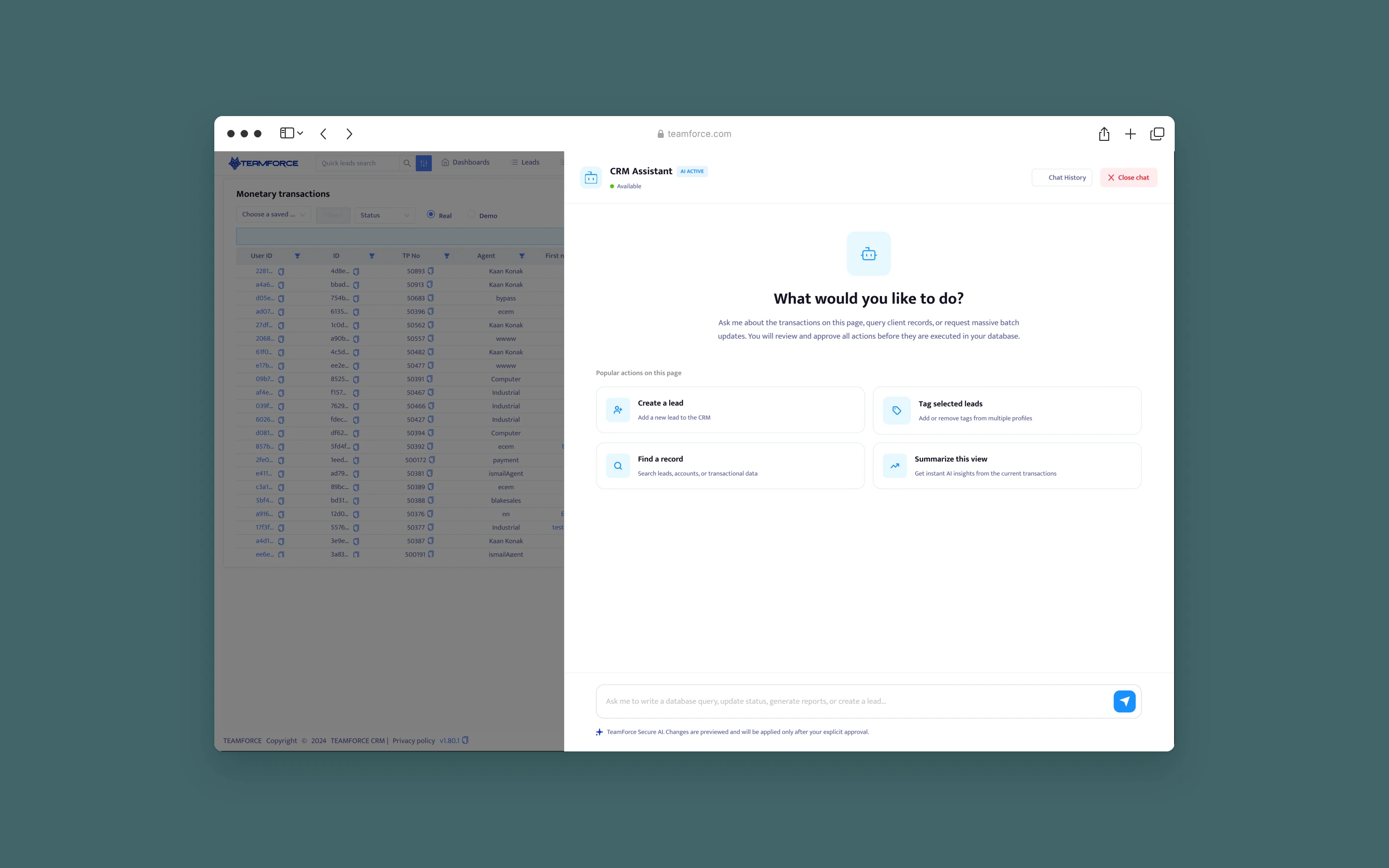
CRM Agent is a conversational action layer inside Teamforce CRM. Agents search, ask and run common CRM tasks in plain language.
the problem
The request was a chatbot. The real problem was trust.
The brief asked for an in-CRM chatbot that could create leads, add tags, reset passwords and run batch updates. A chatbot that talks is easy to build. The hard part is making sure it finds the right record, respects permissions, recovers when something fails, and shows the user what will change before it changes. In a CRM, a wrong tag on the wrong “Manar Alshami” is a real mistake with a real client.
system · architecture
The model interprets. The contract decides. The CRM executes.
Conversation, orchestration, permissions and execution are kept separate.
Conversation
User message plus explicit entities go down to the model.
- Assistant panel
- @ mention search
- Review & result cards
Model
Returns a structured request.
- Intent
- Field extraction
- Asks only for missing details
Orchestration
- Skill registry
- Validation
- Confirmation rules
- Context layers
Permissions
Nothing runs until the user approves.
- Per-skill permission check
- Visible-records-only search
CRM execution
- Existing CRM APIs
- Audit log
- Undo
contract · skill registry
Every skill declares what it needs before the model can use it.
The MVP covered five skill groups: query data, find and summarize records, create records, manage tags and supported fields, and restricted account operations. Each registers its entity types, required inputs, permission, confirmation rules, bulk and undo support, and risk level.
skill: lead.tag.add · the contract behind the screens above
One contract drives the whole flow
- entities: lead
- inputs: recordIds (required), tagId (required)
- permission: leads.update
- confirmation: always
- bulk: true
- undo: true
- risk: low
delivery · collaboration
Designed and built alongside engineering.
Weeks 1–4
Contract first
The skill schema was agreed with back-end before any UI, so every screen field had a source.
Weeks 5–9
States as code
I built the panel and all its states in the front end, so engineering integrated real components rather than mockups.
Weeks 10–13
Pilot
Two sales desks, 31 agents, low-risk skills only, with weekly log reviews.
Weeks 14–16
Expand
Restricted skills added behind extra confirmation, then rolled out to all desks.
outcomes
Measured on adoption, speed, reliability and trust.
Pilot of 6 weeks on two desks, then 8 weeks after full rollout.
58%
Adoption
Pilot agents using the assistant weekly. 64% of tasks started from a skill starter, not free text.
74 → 19 s
Efficiency
Median time to tag a lead, at 1.8 turns per task.
0
Reliability
Updates to the wrong record. 96% of approved changes completed in full.
7%
Trust
Reviews cancelled or edited, a sign people read the card rather than click through. Undo was used 1.2% of the time.
honest read
What didn't work, and what's next
@ mentions felt slow for power users until page context arrived. Batch operations needed a better review: a list of 40 records doesn't fit a chat card. “Summarize view” was popular, but useful only once page context shipped.
Next: a batch review table that opens beside the chat for large changes. Saved skills for each desk's most repeated requests. And an audit view in the assistant: “what did I change today?”
Responsibility is shared between the model, the application and the person approving. The design makes each one's part visible.
Informative Nudge
Next