04 / 04
Chat is the easy part
The product is everything between “add a tag” and the CRM actually changing.
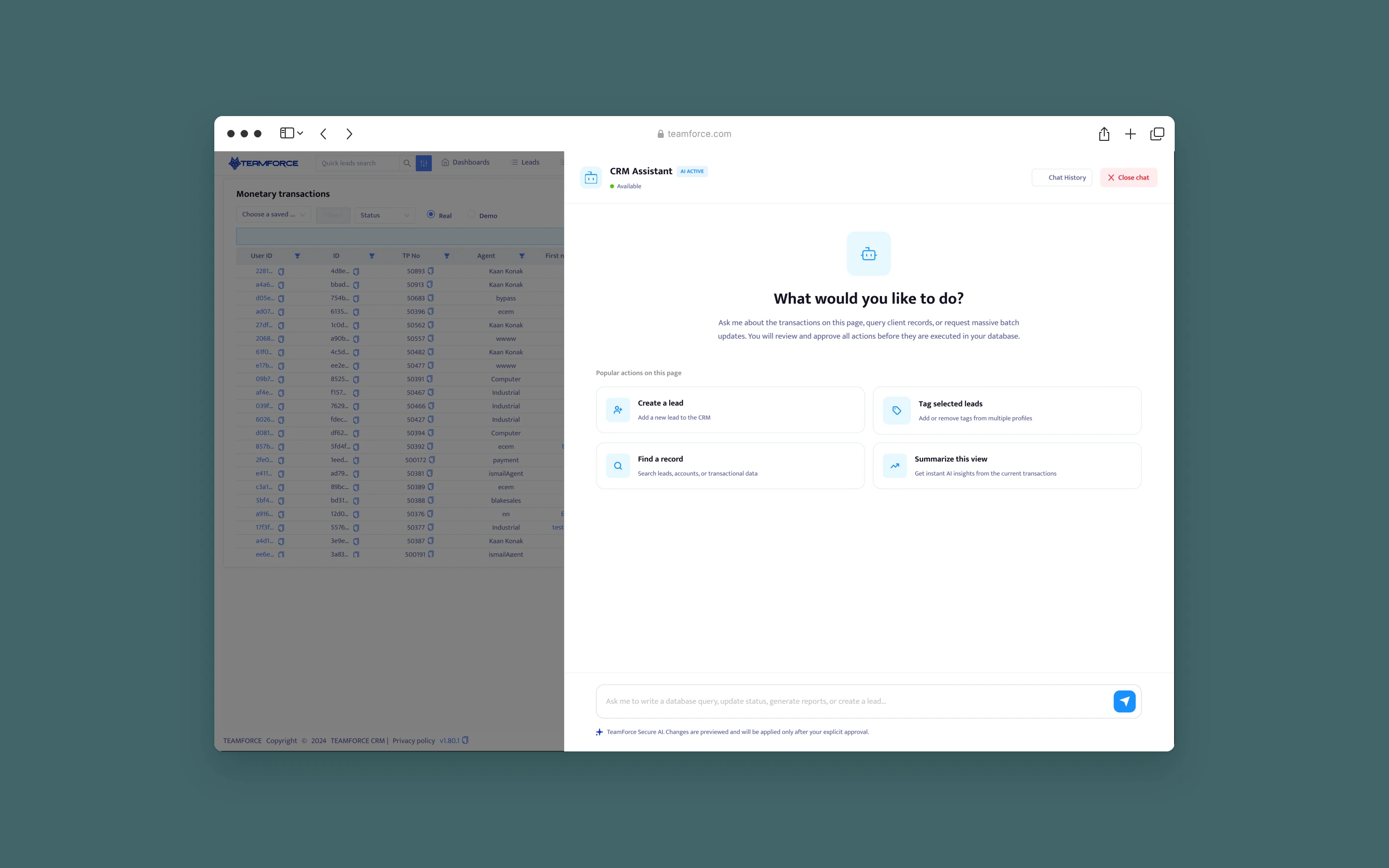
CRM Agent is a conversational action layer inside Teamforce CRM. Agents search, ask and run common CRM tasks in plain language.
the problem
The request was a chatbot. The real problem was trust.
The brief asked for an in-CRM chatbot that could create leads, add tags, reset passwords and run batch updates. A chatbot that talks is easy to build. The hard part is making sure it finds the right record, respects permissions, recovers when something fails, and shows the user what will change before it changes. In a CRM, a wrong tag on the wrong “Manar Alshami” is a real mistake with a real client.
before / after
Small tasks, many screens. Now one sentence, one review, one click.
Changing CRM data used to mean hunting across screens with no safety net.
Without the agent
Small tasks, many screens.
A single tag took six clicks across three screens.
- Open Leads, search by name (agent)
- Guess which of two same-name records is right (risk)
- Open the record, find the tags field (agent)
- Hit a permission error with no next step (dead end)
- No easy way to undo a wrong change (irreversible)
With CRM Agent
One sentence, one review, one click.
The model interprets. The CRM decides what's allowed. The person approves.
- Type “Add the Warm lead tag to Manar Alshami” (agent)
- Find matching records the agent may see (AI)
- Ask which one when names collide (clarify)
- Show exactly what will change, then wait (approve)
- Execute, report truthfully, offer undo (system)
Design challenge
How might we let agents change CRM data in plain language, without ever changing the wrong record, skipping a permission or hiding what happened?
constraints
Designed for what the system could actually guarantee.
The biggest constraint reshaped the product: the first release couldn't see what the user was looking at. Every other decision followed from being honest about that.
Technical limit
No page context in the first release
The assistant couldn't read the current module, filters, selected rows or business unit. Assuming them would mean guessing.
Design response: context chips were dropped. Every record is named explicitly with @ mentions, and shortcuts became universal skills.
Data
Duplicate names everywhere
Brokerage CRMs hold many records with the same name, sometimes the same email, across business units.
Design response: the assistant never picks. With more than one match it shows each record with its lead ID and asks the user to choose.
Security
Permissions can't be bypassed by chat
A chat box is a new door into the CRM. It must not let anyone do what the normal UI wouldn't.
Design response: search only returns records the user can see. Every skill names its permission, and access is checked before the review step.
Architecture
The CRM is the system of record
The model can't write to the database. Only existing CRM APIs can.
Design response: skills map to CRM operations. The model fills in a structured request, and the application executes it.
Technical limit
Model latency
Understanding and resolving a request took 2–5 seconds. Silence for that long feels broken.
Design response: truthful progress. Each stage (searching, validating, updating) is named while it runs.
Business priority
Start safe, then expand
Leadership wanted batch operations and password resets. Security asked for a slower rollout.
Design response: the MVP launched with low-risk skills first. Restricted operations need extra confirmation and carry a risk level.
principles
The rules every screen had to follow.
01
Explicit scope
Name the record. Don't assume context the system can't see.
02
Structured execution
Skills with contracts, not free-form automation.
03
Review first
No change happens without seeing it first.
04
Truthful status
Say what's happening, including “Incomplete”.
05
Built-in recovery
Undo and next steps are part of the flow, not an afterthought.
sequence · execution model
Seven steps, each visible, two of them owned by the user.
Understand → Resolve → Validate → Check access → Review → Approve → Execute. Review and Approve belong to the user.
The header status is one vocabulary for the whole system: Available, Thinking…, Needs your choice, Review details, Ready for your review, Adding tag, Complete, Incomplete. Blue means the user's turn or active work, amber means waiting or unfinished, green means done.
iterations · three shifts
Three shifts that shaped the shipped product.
Shift 1
Chatbot → command layer
The first concept answered anything and acted on anything.
What we learned: free-form actions couldn't be validated or audited. Skills with contracts could.
Shift 2
Assumed context → explicit scope
Early designs showed automatic context chips (“on: Leads, 3 selected”).
What we learned: the first release couldn't read page state, so chips were dropped and @ mentions became the source of truth.
Shift 3 · shipped
Open prompt → skills
“How can I help?” on an empty panel.
What we learned: in pilot logs, 1 in 3 first messages asked for something unsupported. Listing skills fixed that.
ownership · mine vs ours
Which decisions I made, and which ones the team made.
Decisions I owned
Reframe to a command layer
I moved the brief from “a chatbot” to structured operations people could review.
Decisions I owned
The skill contract shape
Inputs, permission, confirmation, undo and risk for each skill, written with engineering.
Decisions I owned
Review card and impact checks
What will change, and what's already been verified.
Decisions I owned
Status vocabulary and recovery states
Every header state, plus “Incomplete” with next steps.
Decisions I owned
Front-end build
I built the assistant panel and its states as a working prototype.
Engineering
No page context in v1
The CRM didn't expose page state yet.
Security
Restricted operations list
Password resets and batch updates need extra confirmation.
PM
Rollout order
Two pilot desks first.
ML engineer
Model and prompt setup
Intent and field extraction.
trade-offs · what it cost
Safety over speed, on purpose.
Chose
Review every change
Over: one-shot execution.
Cost: one extra click per task, in return for zero silent mistakes.
Chose
Ask on duplicates
Over: picking the most likely match.
Cost: an extra turn when names collide.
Chose
Explicit @ mentions
Over: inferring from the page.
Cost: more typing until page context arrived.
Chose
A small set of skills
Over: an assistant that tries anything.
Cost: some requests get “not supported yet”, but nothing fails silently.
honest read
What didn't work, and what's next
@ mentions felt slow for power users until page context arrived. Batch operations needed a better review: a list of 40 records doesn't fit a chat card. “Summarize view” was popular, but useful only once page context shipped.
Next: a batch review table that opens beside the chat for large changes. Saved skills for each desk's most repeated requests. And an audit view in the assistant: “what did I change today?”
Responsibility is shared between the model, the application and the person approving. The design makes each one's part visible.
Informative Nudge
Next